Route Finder

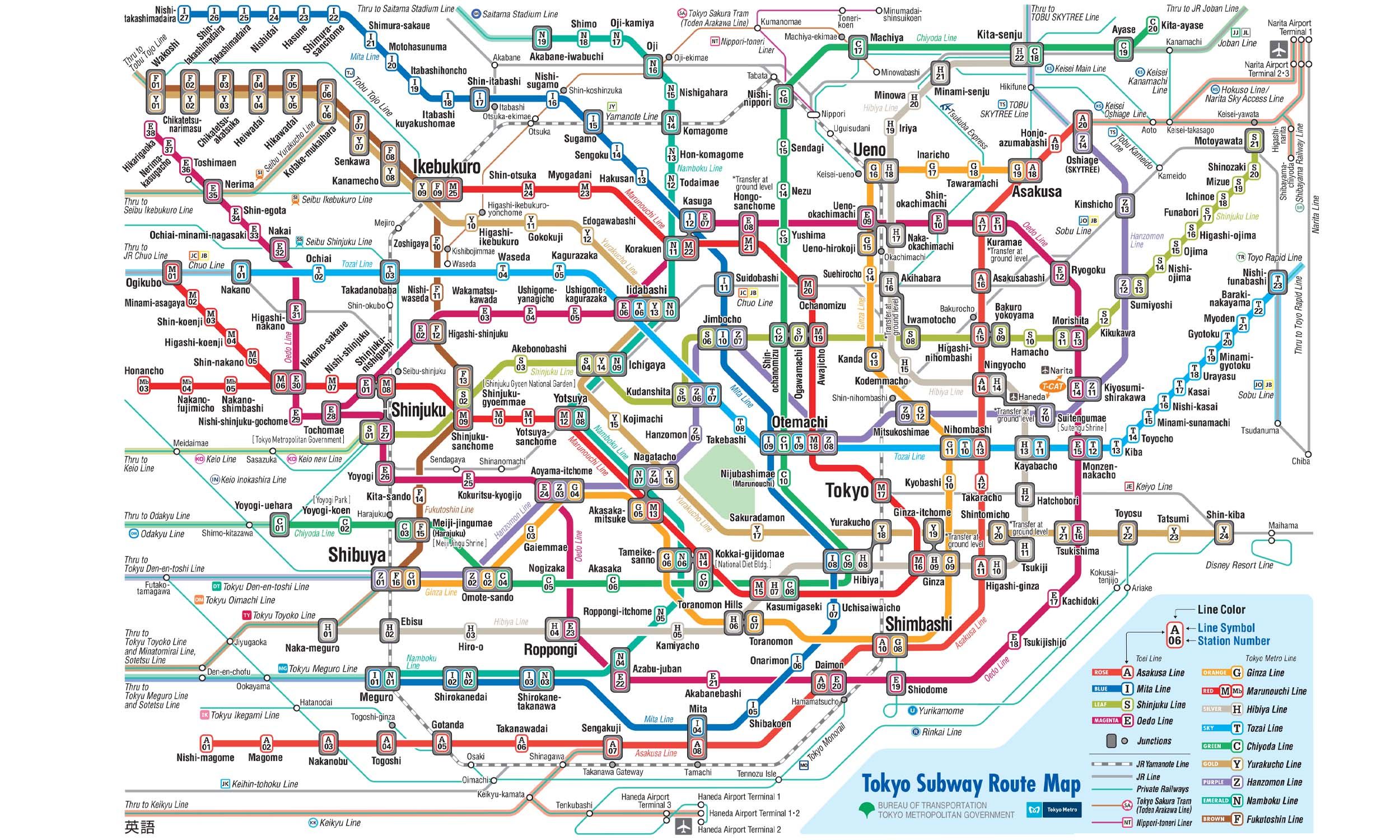
Wakoshi to Meiji-jingumae (Harajuku) Route

18 stations3 interchanges1.7 km~3 min
Change to Hanzōmon Line Platform 2 towards Oshiage
Change to Chiyoda Line Platform 1 towards Ayase
  1. 1
    Start at Wakoshi station.
  2. 2
    Board the Yūrakuchō Line towards Shin-kiba · from Platform 3
    Ride 8 stops to Ikebukuro.
    Change lines here
  3. 3
    Board the Fukutoshin Line towards Shibuya · from Platform 1
    Ride 7 stops to Shibuya.
    Change lines here
  4. 4
    Board the Hanzōmon Line towards Oshiage · from Platform 2
    Ride 1 stop to Omotesandō.
    Change lines here
  5. 5
    Board the Chiyoda Line towards Ayase · from Platform 1
    Ride 1 stop to Meiji-jingumae (Harajuku).
  6. Arrive at Meiji-jingumae (Harajuku) station. You have reached your destination.
Origin

Wakoshi Tokyo

Gates / Exits

Gate No. A1 Otemachi Financial City
Gate No. A2 NTT Otemachi Building
Destination

Meiji-jingumae (Harajuku) Tokyo

Gates / Exits

Gate No. 5 Exit 5
Gate No. 6 Exit 6
Gate No. 2 Exit 2

Wakoshi to Meiji-jingumae (Harajuku) — Frequently Asked Questions

There are 18 stations on the route from Wakoshi to Meiji-jingumae (Harajuku), including the origin and destination.

You need to make 3 interchanges to travel from Wakoshi to Meiji-jingumae (Harajuku), using Yūrakuchō Line and Fukutoshin Line and Hanzōmon Line and Chiyoda Line.

The distance from Wakoshi to Meiji-jingumae (Harajuku) is approximately 1.7 km by transit.

The estimated journey time from Wakoshi to Meiji-jingumae (Harajuku) is approximately 3 minutes.

You can travel from Wakoshi to Meiji-jingumae (Harajuku) via Yūrakuchō Line and Fukutoshin Line and Hanzōmon Line and Chiyoda Line on the Tokyo Metro.

To travel in the reverse direction from Meiji-jingumae (Harajuku) to Wakoshi, follow the same route in the opposite direction. The journey takes approximately 3 minutes.

Tokyo Metro Map 2026

Tokyo Metro map
Click to expand